If you saw ChatGPT referrals fall and direct traffic rise in the same weeks, that may not be a loss of AI visibility. It may be the same visitors under a different label.
What actually happened with ChatGPT’s tracking?
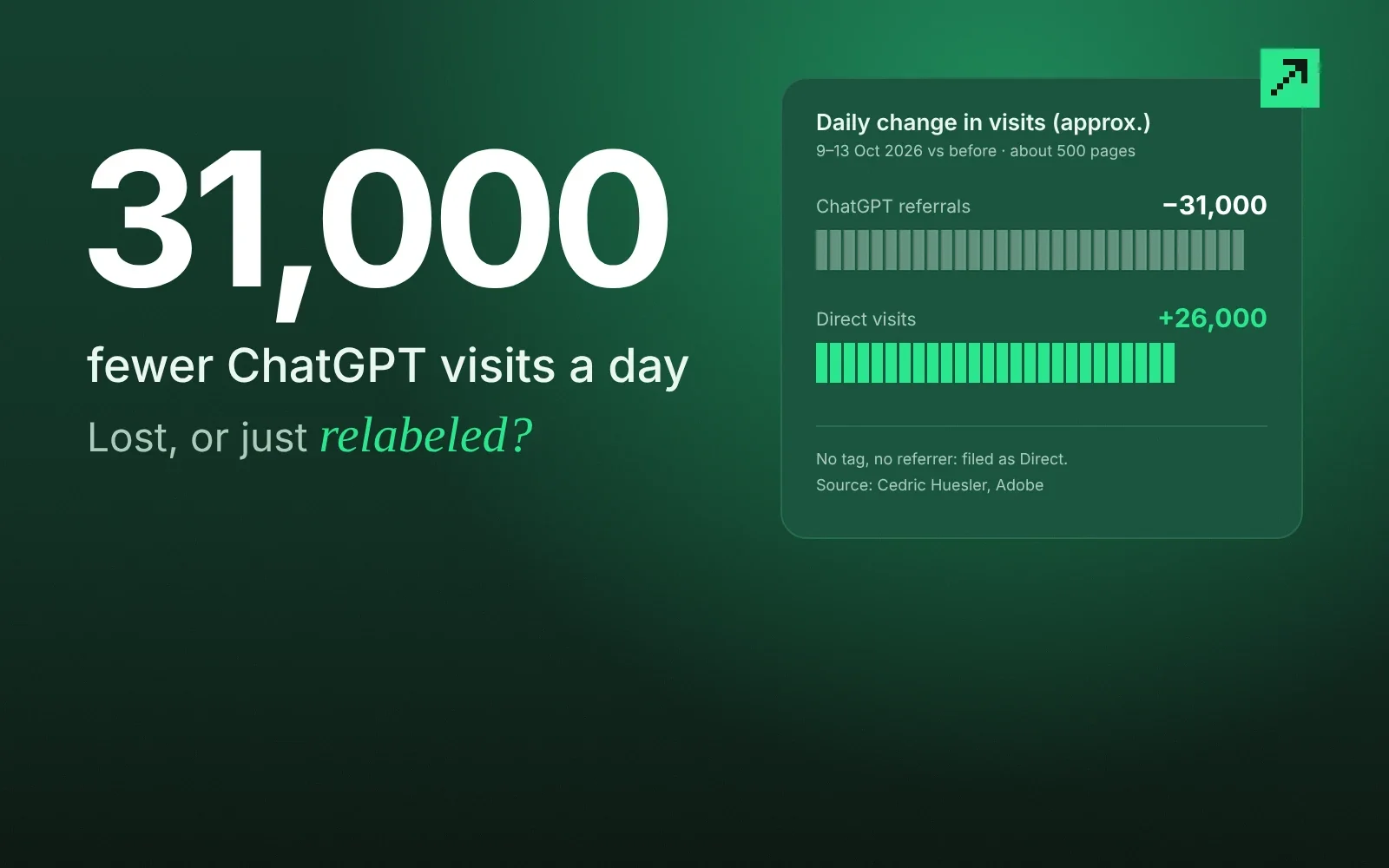
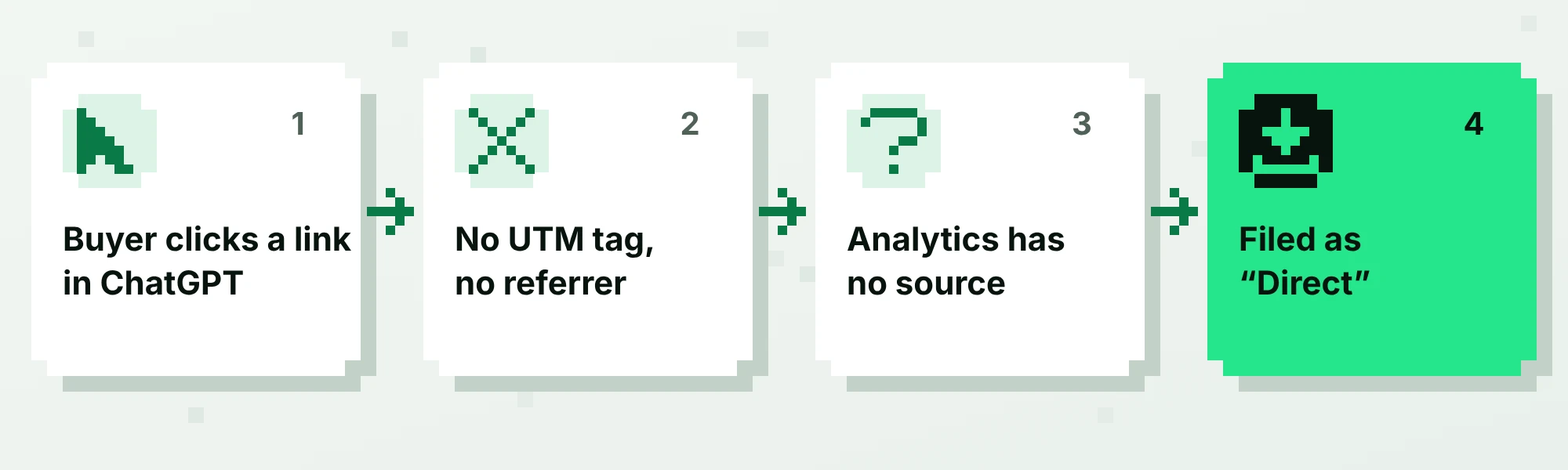
Adobe’s Cedric Huesler documented it on LinkedIn, and Search Engine Roundtable reported it on 14 October 2026. Huesler compared roughly 500 pages before and after the change: from 9 to 13 October, ChatGPT visits fell by about 31,000 a day while direct visits rose by about 26,000 a day. With no tag and no referrer, analytics tools have nothing to attribute the visit to, so it lands in direct. Huesler placed the start at about 2pm Pacific on 8 October, after the GPT-6 release. On 15 October he updated his post to say it was a bug, and Barry Schwartz reported that the UTM tags were returning. Relevant Audience reports that OpenAI confirmed the bug to Huesler privately. After the fix, the referrer was still missing on most clicks, so filter on the UTM tag rather than the referrer.
Relevant Audience notes that OpenAI has made no public statement and that its release notes for 1 to 15 October do not mention the bug, so check your own data before assuming it applies to you.
How do you tell if your direct traffic is hiding AI visits?
Look for a pattern, not a single number. Three checks take about 20 minutes in GA4:
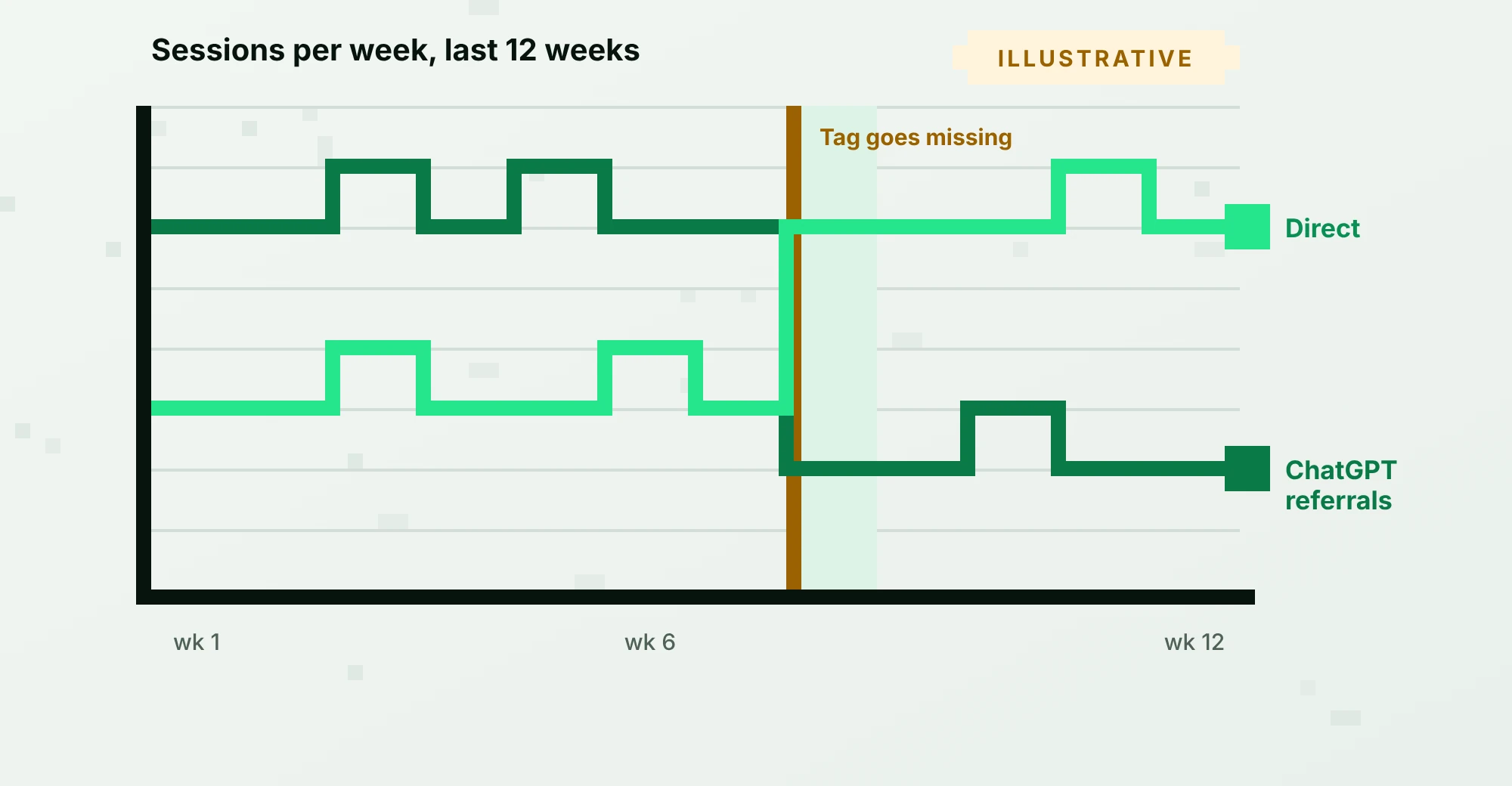
- Compare the trend lines. Put ChatGPT referral sessions and direct sessions on the same chart for the last 12 weeks. A drop in one and a matching rise in the other is the signature.
- Segment direct traffic by landing page. Real direct visitors usually land on your homepage. Direct visits landing on a deep blog post or comparison page, with no prior session, often came from a link someone clicked in an answer.
- Check the day of the change. Find the first date the ChatGPT line fell, then compare it with the reported window of about 8 to 15 October 2026.
If all three line up, annotate the chart in GA4 so nobody reads that period as a collapse.
Why does this matter more in B2B?
B2B sales cycles are long, so a mislabeled first touch distorts months of reporting. If the first visit from an AI answer is filed as direct, the deal that closes in March gets credited to “brand” or “direct,” and the content that earned the citation never gets budget.
There is a second wrinkle. A buyer who gets a recommendation from AI will often check it on your site, on a review page or with a colleague. More touchpoints means more places for attribution to break.
How should you track AI traffic going forward?
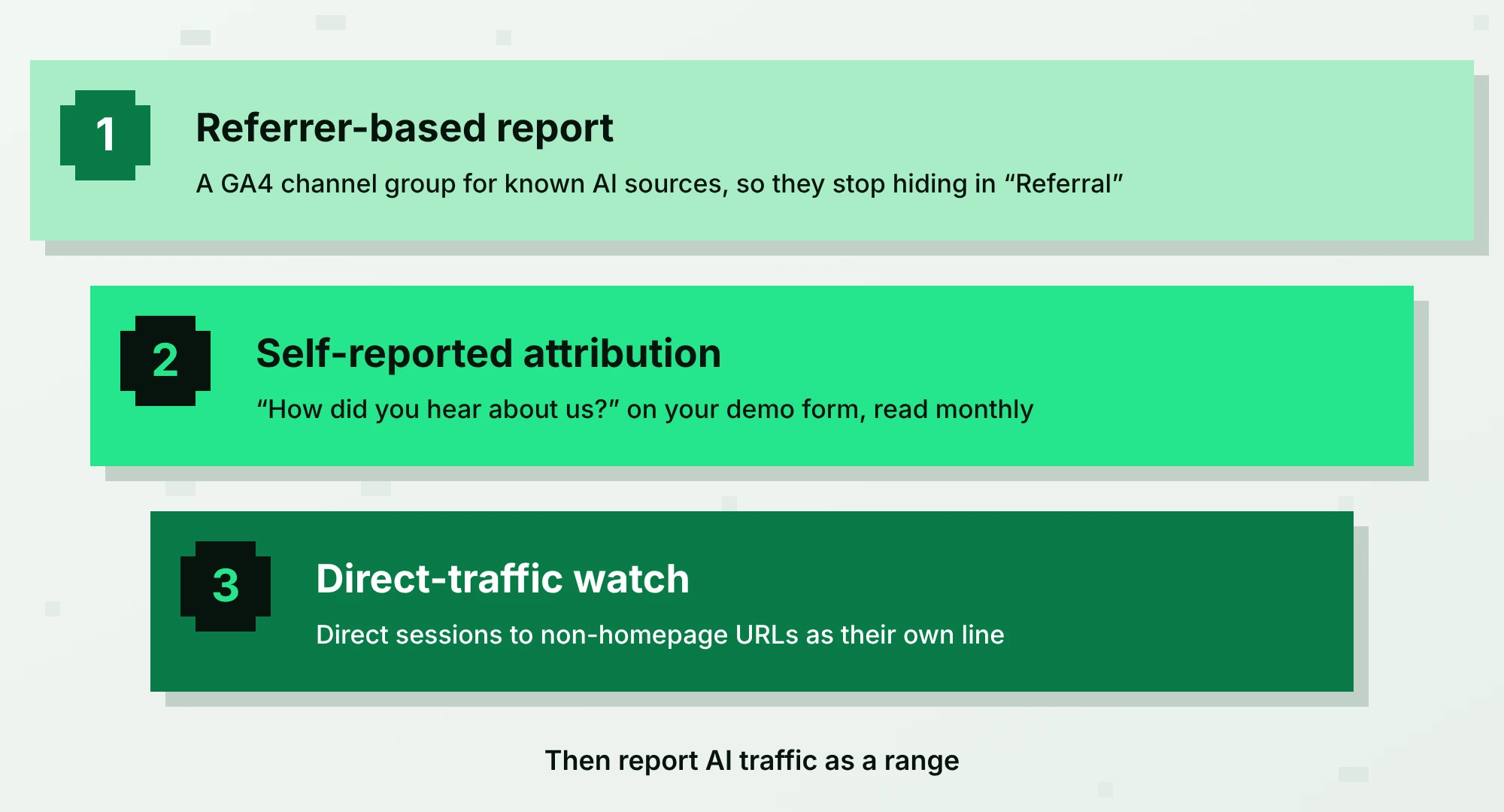
Use three layers, because no single one is reliable:
- Referrer-based reports. Create a GA4 channel group for known AI sources (chatgpt.com, perplexity.ai, gemini.google.com, copilot.microsoft.com and similar) so they stop being buried in “Referral.”
- Self-reported attribution. Add a free-text field, “How did you hear about us?”, to your demo form. Read the answers monthly. Buyers who say “ChatGPT told me” are invisible to every pixel.
- Direct-traffic watch. Track direct sessions to non-homepage URLs as a separate line. When it spikes after you publish something citable, you have a clue.
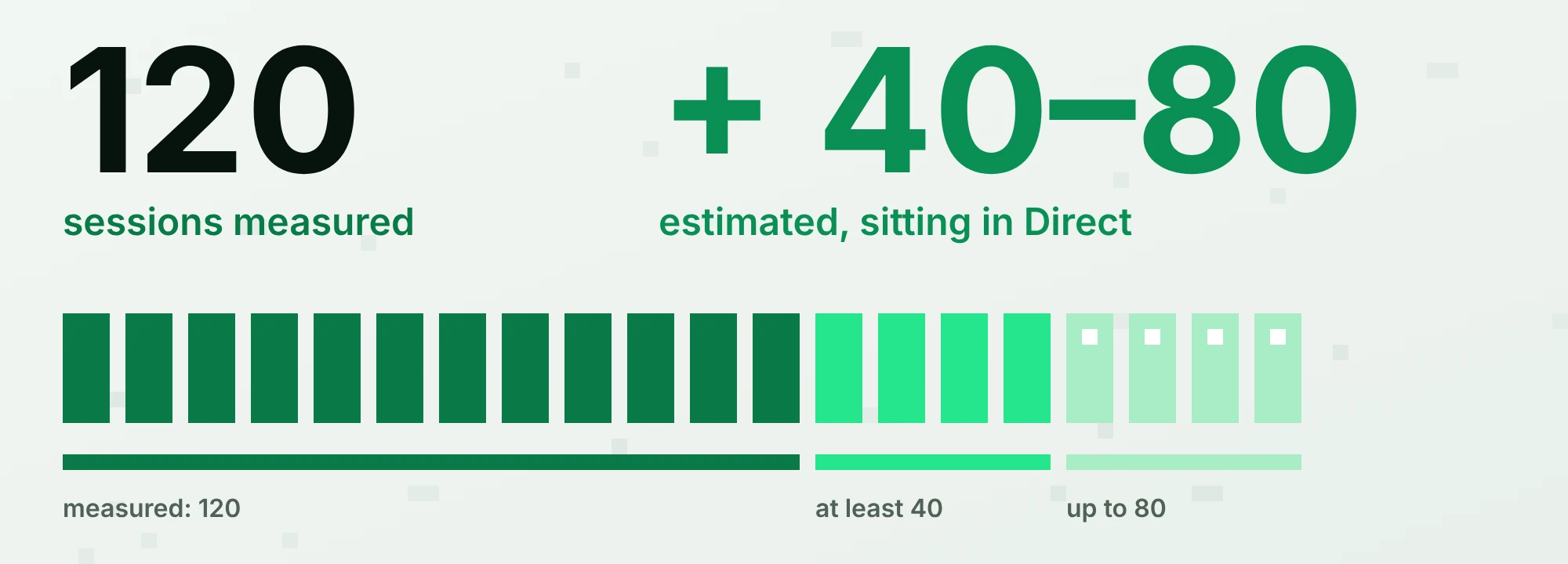
Then report AI traffic as a range, not a point. “ChatGPT referrals: 120 sessions measured, plus an estimated 40 to 80 sitting in direct” is honest and defensible.
Should you worry about bot traffic from AI ads?
Check it, but do not generalize from one test. Ad verification firm TrafficGuard analyzed 40,021 ChatGPT ad clicks from 47 advertisers (24 August to 14 September 2026) and found invalid-click rates from 0.1% to 34%, depending on the advertiser. Read that with care: TrafficGuard sells click verification, counted clicks that reached advertisers’ sites rather than clicks billed, and used its own classification. The practical advice: compare billed clicks with server logs, look at engagement on the visits, and verify before you scale spend.
Sources
Questions
Is ChatGPT referral traffic tracked by default in GA4?
Only when the visit carries a referrer or a UTM tag. GA4 does not know a visit came from ChatGPT unless the browser or link tells it. When that information is stripped, the visit lands in direct.
Will the OpenAI fix recover my old data?
No. Sessions already recorded as direct stay that way. Annotate the affected dates and use the trend comparison above to estimate the missing referrals.
What is dark social, and is it the same problem?
Dark social is traffic from sources that do not pass referral data, such as private messages and apps. It produces the same symptom, a growing direct channel, which is why self-reported attribution is worth adding.
Can I add UTM tags myself to links in AI answers?
Not to links an AI engine generates. You can tag links you control, such as ones in your own content that you submit to directories or share in communities.
How often should I review AI traffic?
Monthly is enough. Check weekly during an anomaly like this one.